Skip to content
Stancer Blog

The blog that helps you grow

Our blog is here to help and support you in your daily tasks and steps.

Guide & News

Understand everything

The essentials for success

Our selection
for you

Discover our flagship articles of the moment, designed and written to meet your daily challenges.

POS Rental: Pros, Cons, and Subscription-Free Alternatives
Payment 10 Nov 2026 5MIN

POS Rental: Pros, Cons, and Subscription-Free Alternatives

The bank card has transformed expectations in commercial transactions and has established itself as a central pillar in consumption habits in France. Today, for your business to prosper and grow its revenue, it is essential to accept card payments. For this, using an electronic payment terminal is indispensable. Although renting a POS is a well-established practice, it has advantages but also disadvantages. This article explores the different facets of POS rental, as well as the interesting alternatives offered on the market. Understanding POS Rental What is POS rental? POS rental is a service giving you access to a payment terminal under a monthly or annual subscription. This solution lets you access modern payment equipment without requiring a significant initial investment. Two main options are open to you: renting from a bank or renting from a specialized provider. How does the POS rental process work? Select a bank or a specialized provider. Choose the POS that meets your business's specific needs. Carefully check the contract terms and conditions, including rental rates and commitment period, then sign it. Receive your new POS and install it. Train your team on how to use and maintain it properly. Advantages of POS Rental Easy access and quick setup POS rental allows for an easy, fast, and efficient setup of card payments with reduced initial costs. Maintenance and updates included This option often includes maintenance services and software updates, ensuring the terminal remains operational and secure. Rental duration flexibility Some specialized providers offer more flexible rental options. These may include annual, monthly, or even short-term rentals, suited to seasonal or occasional needs. The Major Disadvantages of POS Rental Long-term costs: is it really worth it? Rental offers immediate access to a POS without a significant initial investment. However, long-term POS rental fees can exceed the initial purchase cost. The POS rental cost depends on several factors involving the POS model, the included services, and the rental duration. Most POS rental contracts span a period ranging from 2 to 4 years, depending on the provider and the specific contract. This duration commits your business in the long term, limiting your ability to switch providers without incurring early termination fees. Additional fees, such as connection, data, file, and setup costs, can also be added depending on the chosen provider. Lack of flexibility and adaptation to your specific needs Another weakness of POS rental is the lack of flexibility to adapt to your business's specific needs. Terminal customization options, whether in terms of features or specific configurations, are often limited by the rental contract terms. Contractual implications and hidden fees Rental contracts may include penalties for early termination, and potentially hidden fees, particularly related to data and the payment gateway, which can have a significant impact on overall costs throughout the contract duration. In addition, some contracts may automatically renew at their term, which can commit you for a longer period than intended. Why Consider a Subscription-Free POS? Renting a POS long-term means committing to costs that can quickly become burdensome for your business. The inability to terminate the contract when needed should remain a major criterion in choosing a POS. So, why rent a payment terminal when you can have one without any commitment? Long-term investment: save over time Faced with the challenges and constraints of traditional rental, considering a commitment-free, subscription-free POS appears as a wise alternative. Unlike rental, which involves a long-term commitment, this solution imposes no financial commitment, allowing for significant savings. Total flexibility to adapt to your business Prioritizing a subscription-free POS gives you greater flexibility in your business, without being limited by the sometimes restricted choices of a rental contract. This independence lets you shape your payment experience according to your preferences and specific needs. Moreover, this commitment-free option provides optimal flexibility in the face of your business's evolution, offering the possibility to switch to a different payment terminal in case of malfunction or suspend its use according to your business needs. The Stancer Subscription-Free POS: A Reliable Alternative Stancer offers a subscription-free, commitment-free POS, available for free provided you make a minimum of 150 transactions per month. Below that, the POS costs €15 per month. The Stancer payment terminal is delivered ready to use with no additional installation fees, with 4G and Wi-Fi connectivity, making it ideal for all types of businesses, including mobile ones. With Stancer, you benefit from a reduced rate for transactions under €7, and a commission of only 0.7% + €0.07 per transaction for cards issued in the EEA, with no hidden fees. In addition, Stancer handles everything, from configuration to activation, allowing you to focus on your core business. By choosing the Stancer offer, you are choosing a modern, high-performance terminal, designed to adapt to your business's changing needs, without the financial and contractual constraints of a traditional rental.

Read more
Stancer Mobile POS: The Commitment-Free Payment Revolution
Payment 10 Nov 2026 5MIN

Stancer Mobile POS: The Commitment-Free Payment Revolution

Innovation in payment methods is a constant evolution, revolutionizing e-commerce and significantly changing our shopping habits. Consumers' preference for card payments highlights the importance of adapting and equipping yourself with a modern, efficient payment solution. In response to this trend, the mobile electronic payment terminal (POS) has established itself as an essential solution, offering you a multitude of advantages to optimize your business. What is a mobile POS? Definition of the mobile POS A mobile payment terminal is a portable device designed to accept card payments thanks to its wireless connectivity. Equipped with high-connectivity technologies, compliant with the latest standards, certified PCI PTS 5.0, and delivered ready to use, the mobile POS lets you process instant transactions anywhere in France, without the need for a fixed point of sale. How does the mobile POS work? The mobile POS connects to a mobile network or Wi-Fi to process and validate your transactions in real time. Your customers can pay by inserting their card, using NFC contactless payment, or with mobile wallets like Google Pay and Apple Pay. Once the transaction is validated, the mobile POS confirms the payment and you can issue a printed receipt. All transactions are recorded and accessible via an online dashboard or the Stancer mobile app, simplifying sales tracking and financial management for your business. The advantages of the mobile POS for merchants Streamline your transactions with the contactless POS The mobile POS offers a variety of payment methods, including NFC technology for contactless transactions, enhancing your customers' shopping experience. With a contactless payment terminal, transactions become faster and smoother, guaranteeing efficient and secure purchases. Mobile POS battery life: an ally for a full working day Designed to adapt to different environments, the mobile POS is the ideal ally. Whether you're at your usual point of sale or on the go, the mobile payment terminal offers a practical solution to process payments without mobility constraints. Why choose Stancer for your mobile POS? With Stancer, you get a payment terminal suited to small amounts. No more minimum payments: with your Stancer POS, for settlements under €7, fees are only 0.7%, with no fixed fees applied. A subscription-free mobile POS The purchase cost of a mobile POS can vary significantly depending on the provider, the features offered, and the included services. Buying a mobile POS may not be profitable in the long term due to the associated fixed costs. However, some providers offer subscription-free mobile POS solutions, giving you unprecedented flexibility. With Stancer, you get your POS for free if you make more than 150 transactions per month, with commissions based solely on transactions. Below that threshold, the POS is €15 per month. The delivery of your ready-to-use POS with no setup fees lets you start using your terminal immediately and with no initial cost. Zero commitment: flexibility above all Our commitment-free mobile POS offering lets you use our payment services with total freedom and no long-term constraints, even if you only need your terminal for a few days a year. A secure mobile payment solution for all your customers Security is at the heart of the Stancer offering, with compliance with the latest standards and PCI PTS 5.0 certification, ensuring the security of every transaction. A POS for everyone The terminal is compatible with all payment methods: bank cards, contactless payment by card or phone via NFC technology, Apple Pay, or Google Pay. The Stancer terminal, equipped with a color touchscreen and a built-in printer, offers extended memory and great connectivity, both on 4G and Wi-Fi. It complies with current financial security standards and is certified PCI PTS 5.0. The equipment is pre-configured: you receive a ready-to-use POS. Discover all the details of our offer on the Stancer page. How to set up your Stancer mobile POS? Setup steps Setting up your Stancer mobile POS is designed to be as simple as possible. Here are the steps to follow to activate your terminal as soon as you receive it: Charge the terminal: Plug in the charging dock and place the terminal on it to start the automatic charge. Turn on your terminal: Once charged, turn it on and it will automatically connect to the 4G network thanks to the pre-activated SIM card. Wait for any software updates to complete — no action is needed on your part. Log in to your Customer Area: the terminal will be listed under the "Terminal" section. Stancer support and assistance for optimal use With Stancer, you benefit from complete support to ensure optimal use of your mobile POS. In case of a malfunction or incident, Stancer commits to replacing your terminal, ensuring the continuity of your business. A new POS will be delivered directly to your premises, while the faulty device will be collected for analysis and repair. To initiate a replacement, simply contact phone support. The Stancer mobile POS is a commitment-free, flexible, and secure payment solution, perfectly suited to all your needs.

Read more
Cash Register or POS Terminal: Choosing the Right Tool for Your Business
Payment 10 Nov 2026 7MIN

Cash Register or POS Terminal: Choosing the Right Tool for Your Business

It's crucial to choose the right tool to process your customers' payments efficiently and securely. Among the available options, the traditional cash register and the electronic payment terminal (POS terminal) are both key players. Whether you choose to use a POS terminal on its own or as a complement to a cash register, this article gives you a detailed overview of the two solutions so you can make the best choice for your business. The cash register: a traditional and versatile payment solution The cash register is commonly used by merchants to record transactions, calculate amounts due, and manage payments. It is often equipped with register software to facilitate stock management and sales tracking. Recent models include intuitive touchscreens and can be customized to suit each business. Specific options exist for different types of businesses, such as a cash register for restaurants, a cash register for small shops, or a professional cash register. There are several types of cash registers to meet various needs: Digital cash register: the oldest type, used mainly for basic transactions and simple calculations. Alphanumeric cash register: more advanced, it allows you to configure receipts, calculate taxes, and manage stock. It offers payment processing, manual product entry, item management and reporting functions, as well as payment method selection and discount configuration. Modern cash register (or touchscreen register): the most common today, it adapts to the specifics of your business. Equipped with management software and often a touchscreen, it provides access to real-time data for simplified use. In addition, a cash register app can be integrated, allowing you to manage transactions and stock from a smartphone, computer, or tablet. Advantages of the cash register Versatility: suited to businesses with advanced needs, such as large stores or restaurants. Durability: designed to withstand intensive daily use. Extended features: offers complete management tools for merchants, including register software to optimize operations. Disadvantages of the cash register Limited mobility: requires a fixed location, which can be a constraint for mobile merchants or temporary events. Initial cost: the price of a cash register varies depending on its features. Digital and alphanumeric registers generally range from €150 to €700. Touchscreen registers cost between €1,000 and €2,000, and can reach up to €5,000 for the most advanced models. These initial costs can represent a significant investment, not to mention maintenance and update fees. Technology: although modern, it can be less flexible in the face of rapidly evolving payment methods. On its own, it cannot accept card payments. For that, it must be paired with a payment terminal. How to equip yourself with a cash register? To equip yourself with a cash register, several options are open to you: Buying a cash register: a high initial cost, but it can prove more profitable in the long term, especially for merchants with advanced management needs. Renting a cash register: a more affordable solution in the short term, with prices ranging from €50 to €100 per month depending on features and commitment. Renting a cash register avoids a large initial investment while still benefiting from modern technology. Why must a cash register be paired with a POS terminal? It's important to note that cash registers must be paired with a POS terminal to accept card payments. Before connecting your cash register to your card reader, it's essential to check the compatibility between the two devices. In general, all card readers can be connected to a recent cash register. However, some cash registers may not necessarily accept a connection with a POS terminal. For the connection to work: Your cash register must accept a "register link" cable. Your POS terminal must be able to accommodate this cable. Both devices must display the labels: COM 0, COM 1, or COM 2. The most recent POS terminals use USB ports. Make sure you have a link cord allowing you to connect the USB type B port of your POS terminal to the type A link port of your cash register. The electronic payment terminal The electronic payment terminal is designed to accept card payments. Modern POS terminals are equipped with numerous features that make them indispensable for today's merchants. These mobile payment terminals connect wirelessly via 4G mobile network and/or Wi-Fi, offering great flexibility of use. They also accept contactless payments, including NFC payments, Apple Pay, and Google Pay, facilitating fast and secure transactions. Compliance with the PCI PTS 5.0 security standard guarantees that all transactions are protected, offering peace of mind for both merchants and customers. There are several types of POS terminals to meet your business's specific needs: Fixed POS terminal: connected to a fixed telephone or internet line, often used in businesses with a permanent point of sale. Mobile POS terminal: runs on battery and connects via Bluetooth, Wi-Fi, or NFC, or via mobile networks using a SIM card. Perfect for hospitality spaces, mobile merchants, markets, and events. Advantages of the POS terminal Speed of transactions: payments are processed in seconds. Mobility: perfect for all types of merchants, mobile or not. Universal acceptance: supports major bank cards, contactless payments, and mobile wallets. Disadvantages Purchase or rental cost: the initial purchase of a POS terminal represents a significant investment, while rental involves monthly fees. However, certain models, like the Stancer mobile POS terminal, stand out for their flexibility and advantageous cost. Unlike other options, the Stancer terminal is commitment-free, with a commission of only 0.7% for transactions under €7. In addition, if you make more than 150 transactions per month, the terminal is provided to you free of charge. Otherwise, it is billed at just €15 per month. Delivered ready to use, it is easy to set up and operate. A dedicated customer support is also available for any assistance. How to equip yourself with a POS terminal? Several solutions are open to you to obtain a mobile payment terminal: Buying a POS terminal: involves an initial cost but can be profitable in the long term for merchants with high transaction volumes. Renting a POS terminal: avoids high initial costs, though it may involve fixed monthly fees. Opting for a subscription-free POS terminal: ideal for those who want to avoid initial and monthly costs. With the Stancer mobile payment terminal, you only pay when you use it. There are no setup fees or hidden costs. You benefit from full pricing transparency, with an online dashboard to track all your transactions in real time. The choice to equip your business with a cash register and/or a POS terminal depends on your specific needs and the nature of your business. Whether you plan to combine the two or use only a POS terminal, it is essential to have an electronic payment terminal to accept card payments. Although the cash register can complement the use of a POS terminal for businesses requiring advanced stock and cash transaction management, the POS terminal alone is often sufficient. It offers a modern, flexible, and economical solution, ideal for merchants who need mobility and speed in their transactions. By choosing the Stancer POS terminal, you are choosing a payment solution that simplifies day-to-day management and ensures a secure and efficient payment experience.

Read more
Payment Contract vs. Acceptance Agreement: Are They Mandatory?
Payment 10 Nov 2026 3MIN

Payment Contract vs. Acceptance Agreement: Are They Mandatory?

A payment contract is a technical identifier that enables the processing of card payments for your business. It allows the transactions collected by your business to be identified by your PSP's partners, such as card schemes and issuing banks. For more information, refer to the Stancer documentation. There are several types of payment contracts, adapted to the different payment acceptance channels of your business, such as mail/telephone order (remote sales) and terminal-based payments, whether in contact or contactless mode. To fully benefit from the services offered by a PSP, you must subscribe to an acceptance agreement, which includes the opening of a payment contract. This agreement specifies in particular: the terms and conditions for accepting payments, the fees applied, the obligations of your PSP and of your business in the context of card payment acceptance, the potential associated services, such as the provision of a payment terminal, business tracking tools, and many more. How the acceptance agreement works When you subscribe to an acceptance agreement, you establish a partnership with a PSP, based on: Payment execution: Your chosen provider supplies the technical infrastructure needed to execute payments. Transaction settlement: Processed transactions are credited to your business account. Security: Your PSP guarantees the security of your customers' transactions and payment data through specific security protocols and standards, such as the 3DS protocol. Why is the acceptance agreement important? The acceptance agreement is essential because it enables your business to start working with a PSP and to accept card payments. By establishing the acceptance agreement, you gain access to the infrastructure needed to process transactions. Without this agreement, it would be impossible to benefit from the PSP's services. The acceptance agreement is therefore the essential entry point for integrating electronic payments, such as card payments, into your business model, facilitating growth and optimizing your sales processes. How to choose your acceptance agreement? To choose your acceptance agreement, you first need to select the PSP you want to rely on. Here are the selection criteria to consider: Costs: Compare setup fees, per-transaction commissions, and monthly fees. Associated services: Check the associated services, such as dispute management, technical support, and options for a payment terminal. Security: Make sure the chosen provider complies with current security standards. Why choose Stancer? Stancer is a 100% French payment solution. Although several PSPs exist, Stancer stands out for: Competitive pricing: Transparent and competitive fees for transactions accepted via the payment terminal or in e-commerce. Secure transactions: Cutting-edge technologies to guarantee the protection of your transactions. Reliable solutions: Stancer provides a robust infrastructure ensuring the continuity of your operations. The acceptance agreement is essential for any business looking to optimize its payment process and offer a smooth, secure customer experience. By choosing your PSP wisely, you can benefit from numerous advantages and strengthen your business's competitiveness.

Read more
How to Easily Refund a Card Payment
Payment 09 Nov 2026 4MIN

How to Easily Refund a Card Payment

In the day-to-day running of your business, you may sometimes need to cancel and refund payments for various reasons. To handle these situations quickly without complicating your store management, it's essential to have effective refund options. Why refund a payment? A payment refund may be necessary in case of an amount error, a customer's order cancellation, an order modification, or other unforeseen situations. At Stancer, we know how crucial it is for you, as merchants, to be able to refund transactions quickly and efficiently. Whether the payment was made through a payment terminal, online, or via a payment link by card, this article will guide you through the refund procedures. Refund options You have the choice between two types of refund: Full refund: the entire amount is returned to the customer. Partial refund: a specified portion of the amount is returned, as needed. Payments made via POS terminal When you made your payment using the POS terminal, the refund can only be made through the same terminal and with the customer's card. This procedure therefore requires direct interaction with the mobile payment terminal. Here's how to proceed: Insert your merchant card into the Stancer terminal's card reader. Enter the amount of the payment you want to refund. Insert your customer's payment card to process the refund. The customer must then enter their PIN code to validate it. Confirm the refund to update the transaction status in your system. Payments made via Tap to Pay on iPhone or Android You can process a refund for a Tap to Pay payment directly from the Stancer app. Simply go to the "Transactions" section, select the payment made via Tap to Pay, then choose the "Refund via Tap to Pay" option. A refund confirmation screen will appear. Please note that, at the moment, only refunds matching the original amount are allowed. Partial refunds are not currently available. In addition, the card used to process the refund must be the same as the one used for the original payment. The refund can be initiated from any compatible smartphone. Online payments To refund a card payment remotely, you have two methods available from your Customer Area. From the Payments section of the Customer Area: Find the payment to refund using the transaction date, the unique payment identifier, or the order reference associated with the transaction. Refund your customer by clicking "Refund". You can choose between a full or partial refund. Then enter the amount. Alternatively, from the Customers section of the Customer Area: Identify the customer in question, then view their customer profile to access their recent payments. Click "Refund" and choose between a full or partial refund, then specify the amount. How to track the status of your refunds? A refund is a banking transaction, just like a payment. It therefore has a lifecycle, and it can be important to track the proper execution of your refunds. After initiating a refund, you can follow its status in your Customer Area. Here are the possible statuses: Payment cancelled: the payment linked to the refund has been cancelled. Pending refund: the refund will be executed within the next 24 hours. Refund sent: the refund is being processed. Refunded: the refund has been executed; the payer has been refunded. Failed: the refund has failed. Not honored: the payer's bank has refused the refund. Note that refunds of large amounts can involve longer waiting times due to the bank's anti-fraud checks. By following these procedures, you can refund a payment easily and efficiently, whether for transactions made in store, through your online shop, or even remotely. To best support you, Stancer offers complete and secure payment solutions to accept and process payments with ease. Our systems are regularly updated to ensure the security of your banking data and smooth management of your transactions, including during refunds. For more details on using our services, refer to our documentation.

Read more
Accept Contactless Payments with Tap to Pay on iPhone and Stancer
Payment 09 Nov 2026 2MIN

Accept Contactless Payments with Tap to Pay on iPhone and Stancer

With Tap to Pay on iPhone and Stancer, you can accept all types of in-person and contactless payments directly on your iPhone, whether they come from bank cards, Apple Pay, or other digital wallets. No terminal or additional hardware is required. This technology is revolutionizing the way you, as merchants, interact with your customers, offering more simplicity, security, and efficiency throughout the shopping experience. What is Tap to Pay on iPhone? Tap to Pay on iPhone is a feature that lets you accept contactless and in-person payments using simply your iPhone, with no payment terminal needed. You can now accept payments by bank card, Apple Pay, and other digital wallets simply by holding your iPhone near your customer's payment method. Tap to Pay on iPhone leverages the security and privacy features built into the iPhone to protect your customers' data. When a payment is being processed, the code and card numbers are never stored on the device or on Apple's servers. While Tap to Pay on iPhone is in use, all photo, video, and screenshot recording capabilities are disabled on your iPhone, guaranteeing the security of your customers' banking data. How to set up Tap to Pay on iPhone with Stancer? Using Tap to Pay on iPhone is as simple as this: Create your Stancer account if you haven't already. Download the Stancer mobile app. Open the Stancer app on your iPhone and enter the purchase amount. Select "Tap to Pay on iPhone" as the payment method and hold your iPhone out to the person who wants to pay. They should place their card horizontally on the top of your iPhone, above the contactless symbol. Once the card is read and the transaction is initiated, a checkmark with the "OK" label appears on the screen. And that's it! You've just accepted your first payment with Tap to Pay on iPhone. Des questions ? Contactez-nous dès maintenant. Questions? Contact us now.

Read more

A space to understand everything.

Choose your starting point. Collect, manage, grow: find all our expert guides and advice.

POS Rental: Pros, Cons, and Subscription-Free Alternatives
Payment 10 Nov 2026 5MIN

POS Rental: Pros, Cons, and Subscription-Free Alternatives

The bank card has transformed expectations in commercial transactions and has established itself as a central pillar in consumption habits in France. Today, for your business to prosper and grow its revenue, it is essential to accept card payments. For this, using an electronic payment terminal is indispensable. Although renting a POS is a well-established practice, it has advantages but also disadvantages. This article explores the different facets of POS rental, as well as the interesting alternatives offered on the market. Understanding POS Rental What is POS rental? POS rental is a service giving you access to a payment terminal under a monthly or annual subscription. This solution lets you access modern payment equipment without requiring a significant initial investment. Two main options are open to you: renting from a bank or renting from a specialized provider. How does the POS rental process work? Select a bank or a specialized provider. Choose the POS that meets your business's specific needs. Carefully check the contract terms and conditions, including rental rates and commitment period, then sign it. Receive your new POS and install it. Train your team on how to use and maintain it properly. Advantages of POS Rental Easy access and quick setup POS rental allows for an easy, fast, and efficient setup of card payments with reduced initial costs. Maintenance and updates included This option often includes maintenance services and software updates, ensuring the terminal remains operational and secure. Rental duration flexibility Some specialized providers offer more flexible rental options. These may include annual, monthly, or even short-term rentals, suited to seasonal or occasional needs. The Major Disadvantages of POS Rental Long-term costs: is it really worth it? Rental offers immediate access to a POS without a significant initial investment. However, long-term POS rental fees can exceed the initial purchase cost. The POS rental cost depends on several factors involving the POS model, the included services, and the rental duration. Most POS rental contracts span a period ranging from 2 to 4 years, depending on the provider and the specific contract. This duration commits your business in the long term, limiting your ability to switch providers without incurring early termination fees. Additional fees, such as connection, data, file, and setup costs, can also be added depending on the chosen provider. Lack of flexibility and adaptation to your specific needs Another weakness of POS rental is the lack of flexibility to adapt to your business's specific needs. Terminal customization options, whether in terms of features or specific configurations, are often limited by the rental contract terms. Contractual implications and hidden fees Rental contracts may include penalties for early termination, and potentially hidden fees, particularly related to data and the payment gateway, which can have a significant impact on overall costs throughout the contract duration. In addition, some contracts may automatically renew at their term, which can commit you for a longer period than intended. Why Consider a Subscription-Free POS? Renting a POS long-term means committing to costs that can quickly become burdensome for your business. The inability to terminate the contract when needed should remain a major criterion in choosing a POS. So, why rent a payment terminal when you can have one without any commitment? Long-term investment: save over time Faced with the challenges and constraints of traditional rental, considering a commitment-free, subscription-free POS appears as a wise alternative. Unlike rental, which involves a long-term commitment, this solution imposes no financial commitment, allowing for significant savings. Total flexibility to adapt to your business Prioritizing a subscription-free POS gives you greater flexibility in your business, without being limited by the sometimes restricted choices of a rental contract. This independence lets you shape your payment experience according to your preferences and specific needs. Moreover, this commitment-free option provides optimal flexibility in the face of your business's evolution, offering the possibility to switch to a different payment terminal in case of malfunction or suspend its use according to your business needs. The Stancer Subscription-Free POS: A Reliable Alternative Stancer offers a subscription-free, commitment-free POS, available for free provided you make a minimum of 150 transactions per month. Below that, the POS costs €15 per month. The Stancer payment terminal is delivered ready to use with no additional installation fees, with 4G and Wi-Fi connectivity, making it ideal for all types of businesses, including mobile ones. With Stancer, you benefit from a reduced rate for transactions under €7, and a commission of only 0.7% + €0.07 per transaction for cards issued in the EEA, with no hidden fees. In addition, Stancer handles everything, from configuration to activation, allowing you to focus on your core business. By choosing the Stancer offer, you are choosing a modern, high-performance terminal, designed to adapt to your business's changing needs, without the financial and contractual constraints of a traditional rental.

Read more
Stancer Mobile POS: The Commitment-Free Payment Revolution
Payment 10 Nov 2026 5MIN

Stancer Mobile POS: The Commitment-Free Payment Revolution

Innovation in payment methods is a constant evolution, revolutionizing e-commerce and significantly changing our shopping habits. Consumers' preference for card payments highlights the importance of adapting and equipping yourself with a modern, efficient payment solution. In response to this trend, the mobile electronic payment terminal (POS) has established itself as an essential solution, offering you a multitude of advantages to optimize your business. What is a mobile POS? Definition of the mobile POS A mobile payment terminal is a portable device designed to accept card payments thanks to its wireless connectivity. Equipped with high-connectivity technologies, compliant with the latest standards, certified PCI PTS 5.0, and delivered ready to use, the mobile POS lets you process instant transactions anywhere in France, without the need for a fixed point of sale. How does the mobile POS work? The mobile POS connects to a mobile network or Wi-Fi to process and validate your transactions in real time. Your customers can pay by inserting their card, using NFC contactless payment, or with mobile wallets like Google Pay and Apple Pay. Once the transaction is validated, the mobile POS confirms the payment and you can issue a printed receipt. All transactions are recorded and accessible via an online dashboard or the Stancer mobile app, simplifying sales tracking and financial management for your business. The advantages of the mobile POS for merchants Streamline your transactions with the contactless POS The mobile POS offers a variety of payment methods, including NFC technology for contactless transactions, enhancing your customers' shopping experience. With a contactless payment terminal, transactions become faster and smoother, guaranteeing efficient and secure purchases. Mobile POS battery life: an ally for a full working day Designed to adapt to different environments, the mobile POS is the ideal ally. Whether you're at your usual point of sale or on the go, the mobile payment terminal offers a practical solution to process payments without mobility constraints. Why choose Stancer for your mobile POS? With Stancer, you get a payment terminal suited to small amounts. No more minimum payments: with your Stancer POS, for settlements under €7, fees are only 0.7%, with no fixed fees applied. A subscription-free mobile POS The purchase cost of a mobile POS can vary significantly depending on the provider, the features offered, and the included services. Buying a mobile POS may not be profitable in the long term due to the associated fixed costs. However, some providers offer subscription-free mobile POS solutions, giving you unprecedented flexibility. With Stancer, you get your POS for free if you make more than 150 transactions per month, with commissions based solely on transactions. Below that threshold, the POS is €15 per month. The delivery of your ready-to-use POS with no setup fees lets you start using your terminal immediately and with no initial cost. Zero commitment: flexibility above all Our commitment-free mobile POS offering lets you use our payment services with total freedom and no long-term constraints, even if you only need your terminal for a few days a year. A secure mobile payment solution for all your customers Security is at the heart of the Stancer offering, with compliance with the latest standards and PCI PTS 5.0 certification, ensuring the security of every transaction. A POS for everyone The terminal is compatible with all payment methods: bank cards, contactless payment by card or phone via NFC technology, Apple Pay, or Google Pay. The Stancer terminal, equipped with a color touchscreen and a built-in printer, offers extended memory and great connectivity, both on 4G and Wi-Fi. It complies with current financial security standards and is certified PCI PTS 5.0. The equipment is pre-configured: you receive a ready-to-use POS. Discover all the details of our offer on the Stancer page. How to set up your Stancer mobile POS? Setup steps Setting up your Stancer mobile POS is designed to be as simple as possible. Here are the steps to follow to activate your terminal as soon as you receive it: Charge the terminal: Plug in the charging dock and place the terminal on it to start the automatic charge. Turn on your terminal: Once charged, turn it on and it will automatically connect to the 4G network thanks to the pre-activated SIM card. Wait for any software updates to complete — no action is needed on your part. Log in to your Customer Area: the terminal will be listed under the "Terminal" section. Stancer support and assistance for optimal use With Stancer, you benefit from complete support to ensure optimal use of your mobile POS. In case of a malfunction or incident, Stancer commits to replacing your terminal, ensuring the continuity of your business. A new POS will be delivered directly to your premises, while the faulty device will be collected for analysis and repair. To initiate a replacement, simply contact phone support. The Stancer mobile POS is a commitment-free, flexible, and secure payment solution, perfectly suited to all your needs.

Read more
Cash Register or POS Terminal: Choosing the Right Tool for Your Business
Payment 10 Nov 2026 7MIN

Cash Register or POS Terminal: Choosing the Right Tool for Your Business

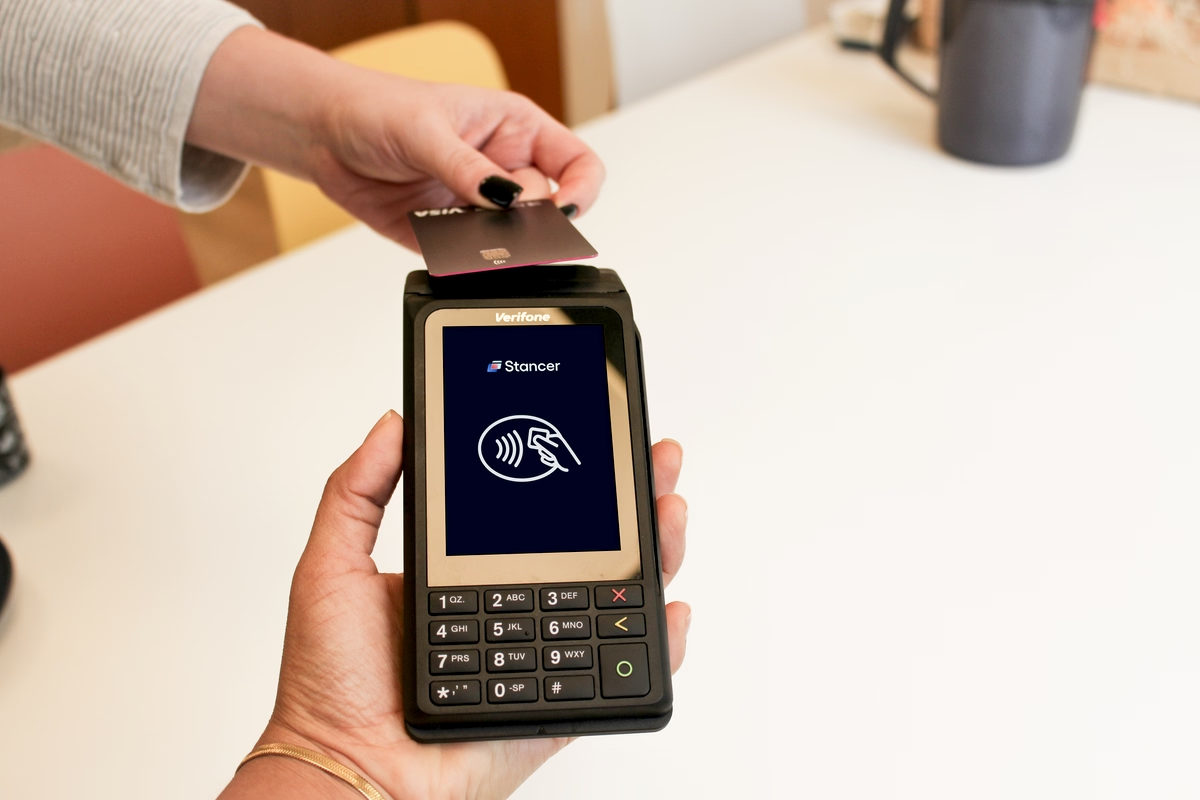
It's crucial to choose the right tool to process your customers' payments efficiently and securely. Among the available options, the traditional cash register and the electronic payment terminal (POS terminal) are both key players. Whether you choose to use a POS terminal on its own or as a complement to a cash register, this article gives you a detailed overview of the two solutions so you can make the best choice for your business. The cash register: a traditional and versatile payment solution The cash register is commonly used by merchants to record transactions, calculate amounts due, and manage payments. It is often equipped with register software to facilitate stock management and sales tracking. Recent models include intuitive touchscreens and can be customized to suit each business. Specific options exist for different types of businesses, such as a cash register for restaurants, a cash register for small shops, or a professional cash register. There are several types of cash registers to meet various needs: Digital cash register: the oldest type, used mainly for basic transactions and simple calculations. Alphanumeric cash register: more advanced, it allows you to configure receipts, calculate taxes, and manage stock. It offers payment processing, manual product entry, item management and reporting functions, as well as payment method selection and discount configuration. Modern cash register (or touchscreen register): the most common today, it adapts to the specifics of your business. Equipped with management software and often a touchscreen, it provides access to real-time data for simplified use. In addition, a cash register app can be integrated, allowing you to manage transactions and stock from a smartphone, computer, or tablet. Advantages of the cash register Versatility: suited to businesses with advanced needs, such as large stores or restaurants. Durability: designed to withstand intensive daily use. Extended features: offers complete management tools for merchants, including register software to optimize operations. Disadvantages of the cash register Limited mobility: requires a fixed location, which can be a constraint for mobile merchants or temporary events. Initial cost: the price of a cash register varies depending on its features. Digital and alphanumeric registers generally range from €150 to €700. Touchscreen registers cost between €1,000 and €2,000, and can reach up to €5,000 for the most advanced models. These initial costs can represent a significant investment, not to mention maintenance and update fees. Technology: although modern, it can be less flexible in the face of rapidly evolving payment methods. On its own, it cannot accept card payments. For that, it must be paired with a payment terminal. How to equip yourself with a cash register? To equip yourself with a cash register, several options are open to you: Buying a cash register: a high initial cost, but it can prove more profitable in the long term, especially for merchants with advanced management needs. Renting a cash register: a more affordable solution in the short term, with prices ranging from €50 to €100 per month depending on features and commitment. Renting a cash register avoids a large initial investment while still benefiting from modern technology. Why must a cash register be paired with a POS terminal? It's important to note that cash registers must be paired with a POS terminal to accept card payments. Before connecting your cash register to your card reader, it's essential to check the compatibility between the two devices. In general, all card readers can be connected to a recent cash register. However, some cash registers may not necessarily accept a connection with a POS terminal. For the connection to work: Your cash register must accept a "register link" cable. Your POS terminal must be able to accommodate this cable. Both devices must display the labels: COM 0, COM 1, or COM 2. The most recent POS terminals use USB ports. Make sure you have a link cord allowing you to connect the USB type B port of your POS terminal to the type A link port of your cash register. The electronic payment terminal The electronic payment terminal is designed to accept card payments. Modern POS terminals are equipped with numerous features that make them indispensable for today's merchants. These mobile payment terminals connect wirelessly via 4G mobile network and/or Wi-Fi, offering great flexibility of use. They also accept contactless payments, including NFC payments, Apple Pay, and Google Pay, facilitating fast and secure transactions. Compliance with the PCI PTS 5.0 security standard guarantees that all transactions are protected, offering peace of mind for both merchants and customers. There are several types of POS terminals to meet your business's specific needs: Fixed POS terminal: connected to a fixed telephone or internet line, often used in businesses with a permanent point of sale. Mobile POS terminal: runs on battery and connects via Bluetooth, Wi-Fi, or NFC, or via mobile networks using a SIM card. Perfect for hospitality spaces, mobile merchants, markets, and events. Advantages of the POS terminal Speed of transactions: payments are processed in seconds. Mobility: perfect for all types of merchants, mobile or not. Universal acceptance: supports major bank cards, contactless payments, and mobile wallets. Disadvantages Purchase or rental cost: the initial purchase of a POS terminal represents a significant investment, while rental involves monthly fees. However, certain models, like the Stancer mobile POS terminal, stand out for their flexibility and advantageous cost. Unlike other options, the Stancer terminal is commitment-free, with a commission of only 0.7% for transactions under €7. In addition, if you make more than 150 transactions per month, the terminal is provided to you free of charge. Otherwise, it is billed at just €15 per month. Delivered ready to use, it is easy to set up and operate. A dedicated customer support is also available for any assistance. How to equip yourself with a POS terminal? Several solutions are open to you to obtain a mobile payment terminal: Buying a POS terminal: involves an initial cost but can be profitable in the long term for merchants with high transaction volumes. Renting a POS terminal: avoids high initial costs, though it may involve fixed monthly fees. Opting for a subscription-free POS terminal: ideal for those who want to avoid initial and monthly costs. With the Stancer mobile payment terminal, you only pay when you use it. There are no setup fees or hidden costs. You benefit from full pricing transparency, with an online dashboard to track all your transactions in real time. The choice to equip your business with a cash register and/or a POS terminal depends on your specific needs and the nature of your business. Whether you plan to combine the two or use only a POS terminal, it is essential to have an electronic payment terminal to accept card payments. Although the cash register can complement the use of a POS terminal for businesses requiring advanced stock and cash transaction management, the POS terminal alone is often sufficient. It offers a modern, flexible, and economical solution, ideal for merchants who need mobility and speed in their transactions. By choosing the Stancer POS terminal, you are choosing a payment solution that simplifies day-to-day management and ensures a secure and efficient payment experience.
Read more
How to Easily Refund a Card Payment
Payment 09 Nov 2026 4MIN

How to Easily Refund a Card Payment

In the day-to-day running of your business, you may sometimes need to cancel and refund payments for various reasons. To handle these situations quickly without complicating your store management, it's essential to have effective refund options. Why refund a payment? A payment refund may be necessary in case of an amount error, a customer's order cancellation, an order modification, or other unforeseen situations. At Stancer, we know how crucial it is for you, as merchants, to be able to refund transactions quickly and efficiently. Whether the payment was made through a payment terminal, online, or via a payment link by card, this article will guide you through the refund procedures. Refund options You have the choice between two types of refund: Full refund: the entire amount is returned to the customer. Partial refund: a specified portion of the amount is returned, as needed. Payments made via POS terminal When you made your payment using the POS terminal, the refund can only be made through the same terminal and with the customer's card. This procedure therefore requires direct interaction with the mobile payment terminal. Here's how to proceed: Insert your merchant card into the Stancer terminal's card reader. Enter the amount of the payment you want to refund. Insert your customer's payment card to process the refund. The customer must then enter their PIN code to validate it. Confirm the refund to update the transaction status in your system. Payments made via Tap to Pay on iPhone or Android You can process a refund for a Tap to Pay payment directly from the Stancer app. Simply go to the "Transactions" section, select the payment made via Tap to Pay, then choose the "Refund via Tap to Pay" option. A refund confirmation screen will appear. Please note that, at the moment, only refunds matching the original amount are allowed. Partial refunds are not currently available. In addition, the card used to process the refund must be the same as the one used for the original payment. The refund can be initiated from any compatible smartphone. Online payments To refund a card payment remotely, you have two methods available from your Customer Area. From the Payments section of the Customer Area: Find the payment to refund using the transaction date, the unique payment identifier, or the order reference associated with the transaction. Refund your customer by clicking "Refund". You can choose between a full or partial refund. Then enter the amount. Alternatively, from the Customers section of the Customer Area: Identify the customer in question, then view their customer profile to access their recent payments. Click "Refund" and choose between a full or partial refund, then specify the amount. How to track the status of your refunds? A refund is a banking transaction, just like a payment. It therefore has a lifecycle, and it can be important to track the proper execution of your refunds. After initiating a refund, you can follow its status in your Customer Area. Here are the possible statuses: Payment cancelled: the payment linked to the refund has been cancelled. Pending refund: the refund will be executed within the next 24 hours. Refund sent: the refund is being processed. Refunded: the refund has been executed; the payer has been refunded. Failed: the refund has failed. Not honored: the payer's bank has refused the refund. Note that refunds of large amounts can involve longer waiting times due to the bank's anti-fraud checks. By following these procedures, you can refund a payment easily and efficiently, whether for transactions made in store, through your online shop, or even remotely. To best support you, Stancer offers complete and secure payment solutions to accept and process payments with ease. Our systems are regularly updated to ensure the security of your banking data and smooth management of your transactions, including during refunds. For more details on using our services, refer to our documentation.

Read more